Asbuilt editor
This section is intended for unloading\modifying\loading data into As-built format, in vehicles where this configuration is applicable.
Car selection
Select the car you are interested in. To simplify each carmatched model image displayed on the right side of the window.
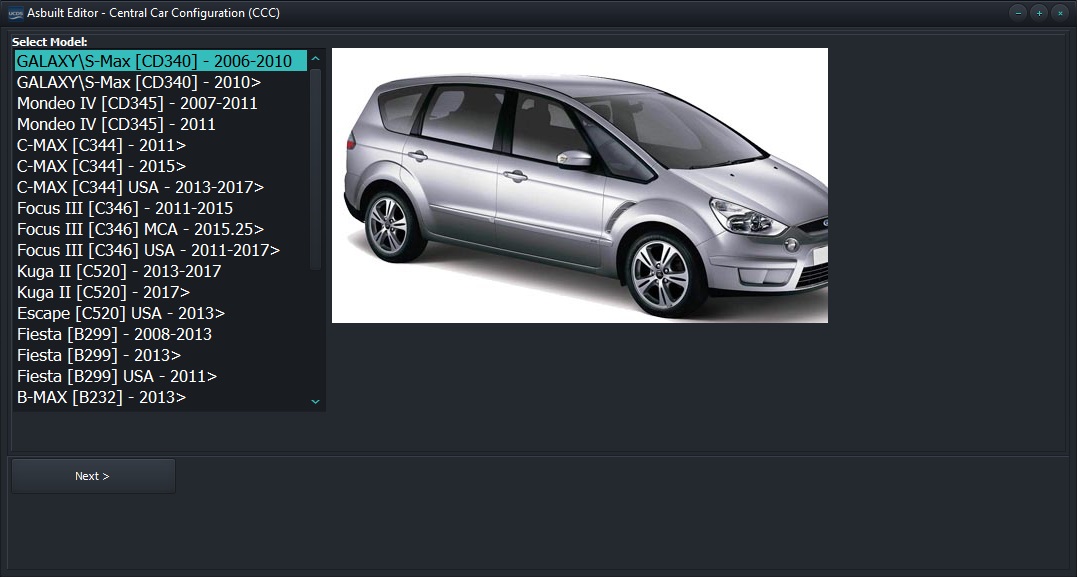
Car selection
Section functionality
The functionality allows you to read, modify and write vehicle data As-built into both the BCM module and the IPC module. All actions are performed the appropriate buttons for this.

Functions of section
Note
In the vast majority of cases, the main config is in the BCM module, and the IPC module contains “backup”. However, there is vehicles such as ECOSPORTFIESTA, in which the main role in configuration carries the reverse of the IPC module. Be careful!
Changing parameters
After successfully reading the parameters from the vehicle, or from previously saved file, as well as when uploading from a server via the Internet, it becomes possible to change “”ANY** configuration parameter As-built The “Name” column displays the name of the configuration option, column “Value” its value. By clicking on the column “Value” of the desired parameter, a drop-down list will appear with all possible values. After selecting one of them, the current configuration value will be changed, and the corresponding parameter will be highlighted in gray, indicating that This parameter has been modified by the user.
Note
It is also possible to change the value of the parameter to arbitrary. To do this, double-click on the “HEX” column and enter your value.
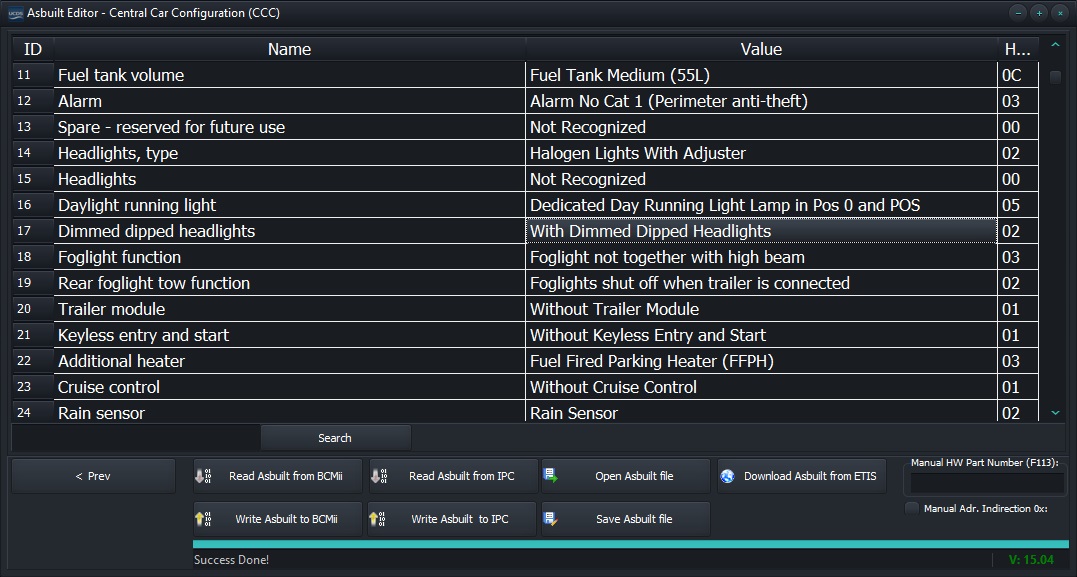
Changing parameters
Changing parameters
Having made all the necessary changes, click on the button “Write Asbuilt to BCM” or “Write Asbuilt to IPC”